
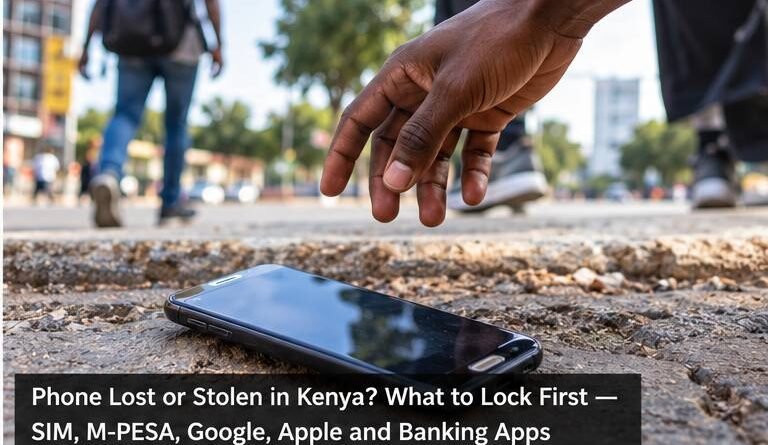
Phone Lost or Stolen in Kenya? What to Lock First — SIM, M-PESA, Google, Apple and Banking Apps
If your phone is lost or stolen, treat it as a security incident rather than only a missing device. Your SIM, mobile money, email, banking apps, saved passwords and authentication codes may all be accessible from the same handset.
The safest response is to secure the device and your most important accounts quickly, while preserving the ability to locate the phone where possible.
1. Try to locate and lock the phone remotely
Android users can use Google’s Find Hub to locate, secure or erase a lost device. Google says the service can show a device’s location when the necessary settings are enabled and can remotely secure or factory-reset the device.
For iPhone, Apple recommends using Find My or iCloud.com/find and marking the device as lost. Lost Mode locks the device with its passcode and suspends eligible payment cards and passes used with Apple Pay.
If you believe the phone was stolen, avoid confronting a suspected thief based only on a map location. Use the location information when making a report to the appropriate authorities.
2. Secure your SIM and mobile-money access
Contact your mobile operator through an official channel if the SIM may be in someone else’s possession. Ask about blocking or replacing the line and the steps needed to protect mobile-money access.
This is important because SMS messages can be used for account verification and password resets. Someone who controls an unlocked phone and active SIM may try to access services linked to the number.
Never give your M-PESA PIN or replacement-SIM verification information to a stranger who contacts you after the loss.
3. Protect the email account connected to the phone
Your primary email account is often the recovery route for social media, banking, cloud storage and other services. If the lost phone was unlocked or you think someone knows its passcode, review the email account’s security from another trusted device.
Change the password when appropriate, review unfamiliar sessions and make sure recovery information has not been altered.
4. Secure banking and financial apps
If banking, mobile lending, investment or payment apps were installed, contact the relevant financial institution where there is a realistic risk of unauthorised access.
Use phone numbers or websites you already know to be official. A stolen-phone incident can attract follow-up phishing attempts from criminals pretending to help.
5. Android: what Find Hub can do
Google’s current guidance says Find Hub can locate, secure or erase an Android device remotely. The phone generally needs the relevant Google account and Find Hub settings configured, although the network can also use encrypted recent locations in supported circumstances.
Google also notes that after a factory reset, the device will no longer be available through Find Hub. For that reason, consider remote erasure when protecting the data is more important than continuing to track the handset.
6. iPhone: activate Lost Mode quickly
Apple advises owners of stolen iPhones or iPads to mark the device as lost as soon as possible. You can do this through iCloud.com/find even when the stolen phone was your trusted device.
Apple also warns users not to share a device passcode, password or verification code with anyone who claims the missing iPhone has been found. Phishing messages sent after a theft may try to obtain credentials needed to remove security protections.
7. Change passwords in the right order
You do not necessarily need to change every password on the internet immediately. Prioritise accounts that can unlock other accounts or move money:
- Primary email and Google or Apple account.
- Mobile-money and banking access where applicable.
- Password manager.
- Social media and messaging accounts.
- Work accounts containing confidential information.
Use a trusted device and unique passwords. Do not perform recovery through links sent by unknown callers or messages.
8. Check WhatsApp and social-media accounts
If the missing phone was unlocked, review active sessions and linked devices on important communication accounts. Attackers may use a stolen account to impersonate you and ask friends or relatives for money.
Tell close contacts if you have evidence that your accounts are being misused. Ask them to ignore unusual money requests until you regain control.
9. Record the IMEI and report theft where appropriate
The IMEI uniquely identifies a mobile device on cellular networks. Google says an Android device’s IMEI can be viewed through Find Hub for supported devices. Your original packaging, receipt or account records may also contain it.
Keep the IMEI, model, colour, serial details and any location information available when reporting a stolen phone. Follow police and mobile-operator instructions rather than attempting recovery yourself.
10. Do not erase the phone too early without considering the trade-off
Remote erasure can protect sensitive data, but it may end some tracking capabilities. Google’s guidance states that a factory-reset Android device will no longer be available in Find Hub.
Assess the sensitivity of the information on the phone and the likelihood of recovery. If financial or highly confidential data is at immediate risk, protecting the data may take priority.
11. Prepare before a phone goes missing
- Use a strong screen-lock PIN or password.
- Enable Find Hub on Android or Find My on iPhone.
- Turn on two-factor authentication for important accounts.
- Keep recovery codes somewhere other than the phone.
- Record the phone’s IMEI and serial number securely.
- Use unique passwords for email, banking and social media.
- Keep the operating system and apps updated.
A 15-minute emergency checklist
First: use Find Hub or Find My to locate and lock the device. Second: contact your mobile operator if the SIM is at risk. Third: secure your primary email and financial accounts. Fourth: review communication accounts for unauthorised access. Fifth: preserve the IMEI and relevant evidence for a theft report.
Bottom line
A modern smartphone is a key to much of your digital life. When it disappears, securing access matters as much as recovering the hardware.
Remote-lock tools, a strong screen lock and well-protected email account can substantially reduce the damage. The best time to configure those protections is before the phone goes missing.
Sources and verification
This guide was independently prepared from Google’s official Android Find Hub guidance, Apple’s official lost or stolen iPhone guidance and general account-security practices. Mobile-network and financial-service procedures can change, so users should confirm current instructions through their provider’s official channels.
