
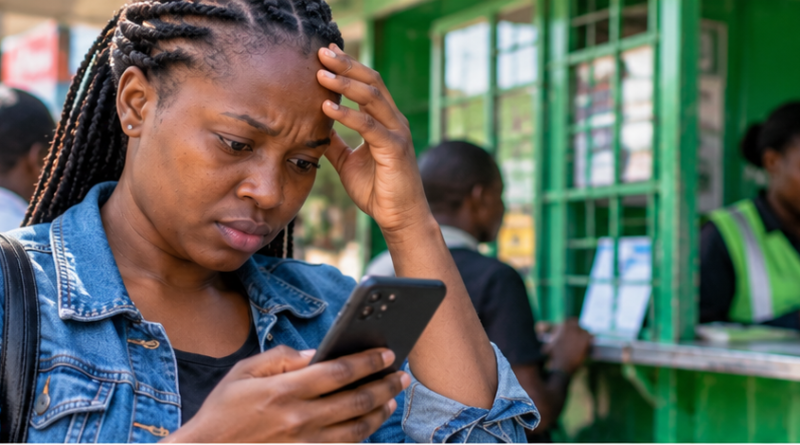
Sent M-PESA to the Wrong Number? What to Do Immediately and How Reversal Works
Sending M-PESA to the wrong number can happen in seconds, but acting quickly gives you the best chance of recovering the money. Safaricom provides self-service reversal channels, including forwarding the transaction message to 456, requesting a reversal through the M-PESA app or using Zuri.
This guide explains what to do immediately, what not to do, and how to reduce the risk of making the same mistake again.
First: do not delete the M-PESA confirmation message
The confirmation SMS contains the transaction code, amount, recipient details and time of transfer. Keep it. You may need those details when requesting a reversal or speaking to Safaricom customer care.
Do not edit, screenshot and discard, or rely only on your memory. Retaining the original message gives you an accurate record of the transaction.
How to request an M-PESA reversal using 456
Safaricom identifies forwarding the M-PESA message to 456 as one of its do-it-yourself reversal channels.
- Open the original M-PESA confirmation SMS for the mistaken transaction.
- Use your phone’s forward-message option.
- Forward the complete message to 456.
- Follow any instructions Safaricom sends back to you.
- Keep subsequent messages until the matter is resolved.
Do this as soon as you notice the mistake. A reversal is a request; it should not be treated as a guarantee that funds will always be recovered.
Other official reversal channels
Safaricom also lists the M-PESA app and Zuri among the channels customers can use to request reversals. Customer support and Safaricom retail centres remain options where additional help is required.
Use official Safaricom channels. A stranger who contacts you claiming they can “speed up” a reversal in exchange for your PIN or a fee may be attempting to scam you.
Should you call the person who received the money?
You may contact the recipient politely if the number is visible and you feel safe doing so, but you should still start the official reversal process promptly.
Never reveal your M-PESA PIN, one-time codes or other security credentials to the recipient. Safaricom staff should not need your secret PIN to process a customer-support request.
What if the recipient has already used the money?
Recovery can become more complicated if the funds are no longer available. That is one reason speed matters.
If the normal reversal process does not resolve the case, contact Safaricom through its official customer-care channels and provide the transaction details. Follow the instructions given for escalation. For a significant disputed amount or suspected fraud, preserve all records that may be needed for a formal report.
Watch out for a second scam after the mistake
A mistaken transfer can create another opportunity for fraud. Someone may call pretending to be Safaricom and ask for your PIN, verification code or another payment to “release” the reversal.
Do not provide secret credentials. A genuine reversal process should be handled through official Safaricom systems.
How to avoid sending money to the wrong number
The best protection is a deliberate pause before entering your PIN. Check the phone number and the recipient name displayed by the service before confirming.
- Save frequently used recipients correctly in your contacts.
- Do not send money while distracted or rushing.
- For an unfamiliar number, read it digit by digit before confirming.
- Check the displayed recipient name instead of assuming the number is correct.
- For a large payment to a new recipient, consider confirming the details independently first.
What about fake M-PESA messages?
A fake payment SMS is different from sending money to the wrong person. If someone claims to have paid you, do not release goods, cash or services merely because they show you a message on their phone.
Confirm the transaction through your own M-PESA records and balance. Scammers can create convincing-looking messages or alter screenshots.
Keep your M-PESA PIN private
Your PIN protects access to your money. Do not share it with a caller, shop attendant, buyer, seller, friend or anyone claiming to be helping with a reversal.
Also avoid typing your PIN where another person can easily observe it. If you believe someone has learned your PIN, use the official M-PESA process to change it promptly.
Quick checklist after a wrong transfer
- Keep the original confirmation SMS.
- Forward it to 456 immediately or use another official reversal channel.
- Follow Safaricom’s response instructions.
- Do not share your PIN or verification credentials.
- Keep records of messages and customer-care interactions.
- Escalate through official Safaricom support if the self-service request does not resolve the problem.
The key lesson
Speed and verification are the two most useful habits. Act quickly after an incorrect transfer, but do not let panic push you into another scam. Use official channels, preserve the transaction record and protect your PIN.
Sources and verification
This guide was independently prepared using Safaricom’s official M-PESA customer guidance. Safaricom lists forwarding the M-PESA message to 456, Zuri and the M-PESA app among its DIY reversal procedures. Procedures can change, so customers should follow the latest instructions from Safaricom.
Safaricom’s current reversal options
Reversal methods and support options can change. Check Safaricom’s current M-PESA guidance before relying on a saved number or instructions copied from an old message. A reversal request does not guarantee that funds will be recovered.
